For theatres, arts centres, concert halls and music venues
Every company, Every night, Signed in
Everyone through your stage door, on one live list, for the whole building.
A clickable prototype of the stage door, not the live product
Stage door sign-in
What you get
Live now
- Venue setupYou set it up yourself, from any browser. Our team confirms your price with you before your first invoice.
- One join link per showThe incoming show gets one link. Its people sign themselves up and appear on your door list.
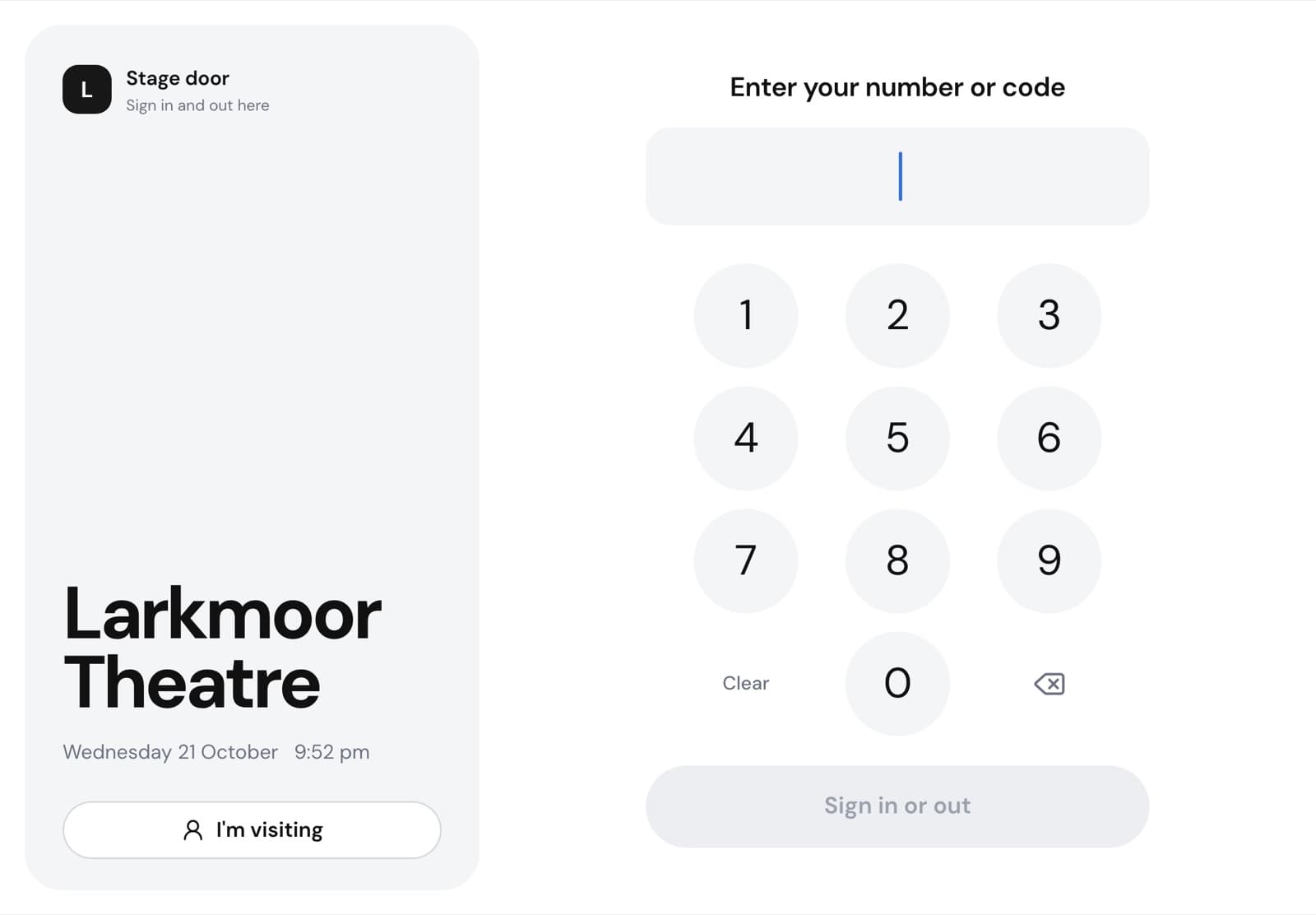
- Sign in on the phone or the paired iPadType a mobile number on the stage door iPad, and the same number signs you out. Or sign in on your own phone.
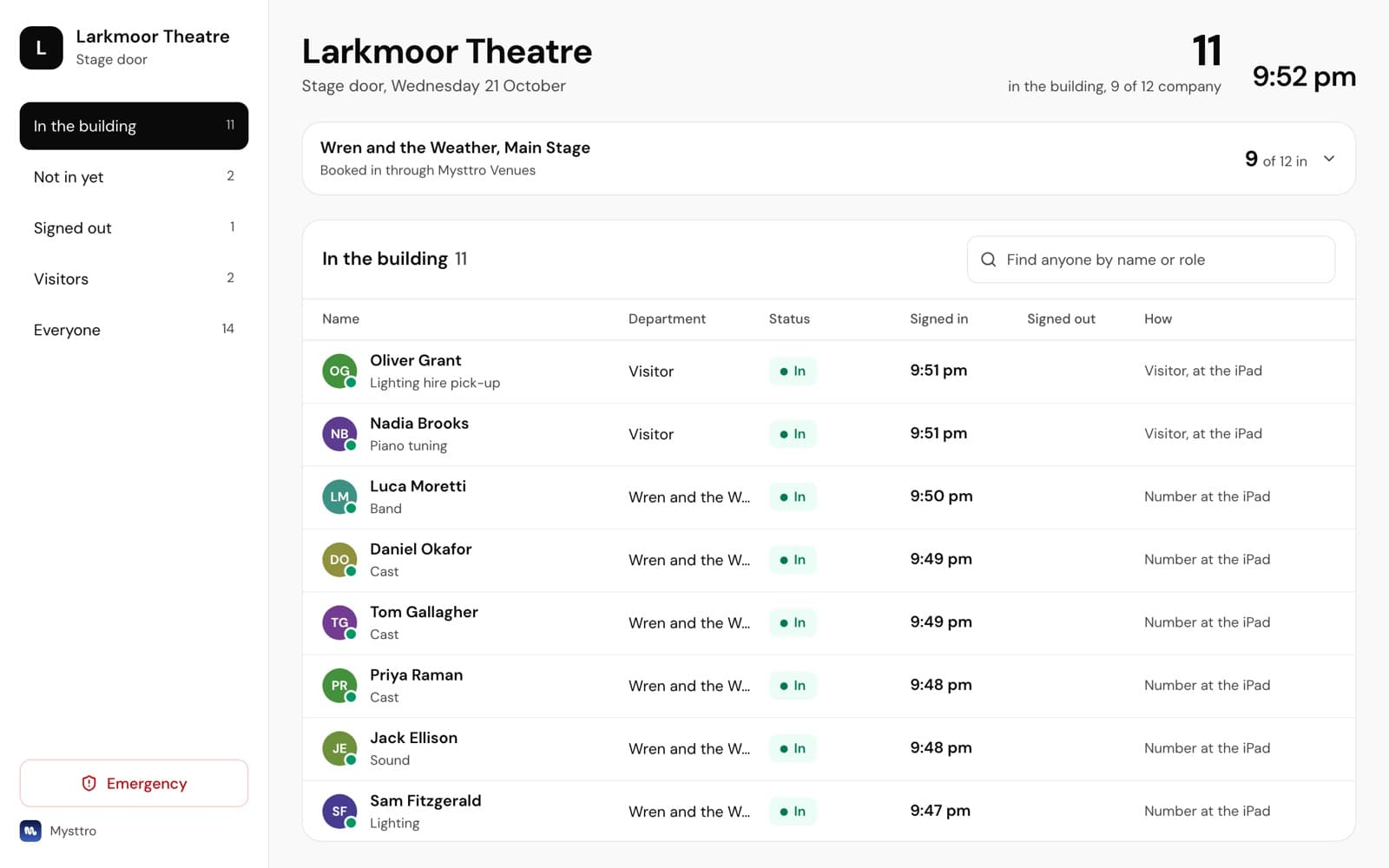
- Who is in the building, per showOn the door desk, with the time and how each person signed in.
- VisitorsA visitor taps I'm visiting on the iPad and goes on the door list.
- The fire register and the evacuation pushStart an evacuation from the door desk. Everyone signed in gets a push to mark themselves safe, and the register counts them.
On the wayNot part of the product yet.
- Venue staff rostering and clock-onOn the wayYour own staff rostered, and clocking on at the stage door.
- Timesheets and payroll exportOn the wayHours from each shift, ready for your payroll.
- The night's runningOn the wayTonight in one view, and the house report.
- Bars and stockOn the wayStock for every bar in the building.
Setup
Set up in three steps
You do it yourself, from any browser, tonight. Nobody needs to visit and there is nothing to install on the iPad.
- Name your venue and pick your sizeYour theatre's name and its seats. Our team confirms your price with you before your first invoice, and there is no setup fee.
- Send the incoming show its linkOne link to the company manager. Their people join themselves and appear on your door list.
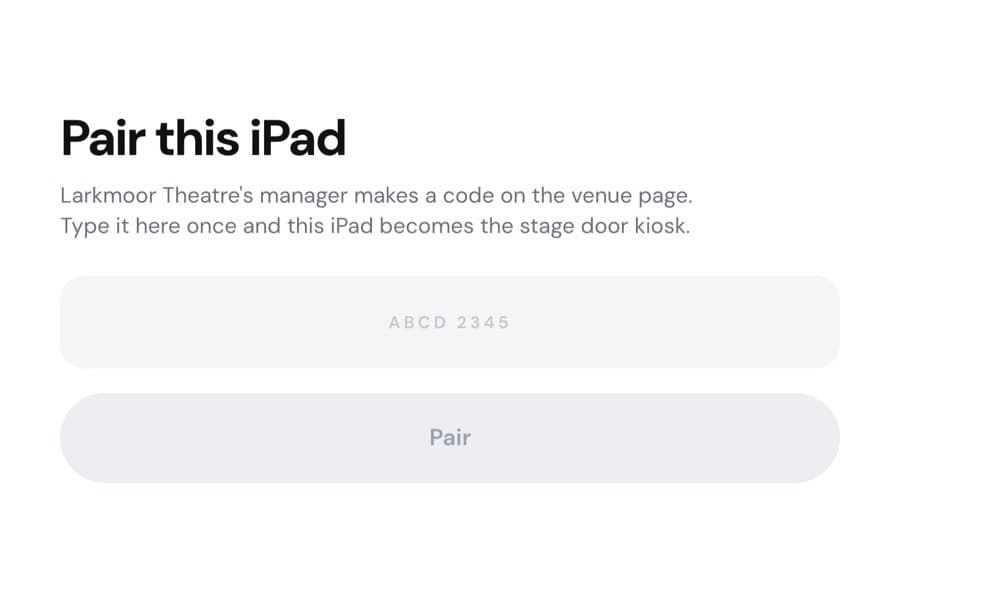
- Pair the stage door iPadOpen the kiosk in the iPad's browser and type the pairing code Mysttro shows you. A paired iPad only works for your building.
Who it's for
Each person sees their part
The stage door
Sign-ins and emergencies, nothing else.
The door desk shows names, sign-in times and the evacuation roll-call. Never pay, reports, or anyone's phone number or email.
Venue management
Every show in the building in one place.
Tonight's shows on one door desk, and how many of each are signed in.
The touring company
One link, and their people join themselves.
The company manager forwards it to the company, and everyone signs themselves up from it.
Pricing
One price for the whole building
Every building gets everything. Your seats set the price, nothing else.
Contact our team
Tell us about your building and our team will come back to you with your price.
Included for every building
- Every feature, nothing locked to a bigger building
- Unlimited people and sign-ins
- Unlimited iPads at the stage door
- Every show in the building on the door list
- One join link for every show
- No setup fee
Total seats across every theatre and stage you run. Unlimited people, sign-ins and iPads. No setup fee.
Security and data
A register, not a phone book
The database is in Sydney
Sign-ins are stored in Australia.
Names and times at the door
The door desk shows who signed in and when. Never a phone number or an email address.
Each show sees its own
A company sees its own people on the list, never another show's.
A paired iPad stays home
Each iPad is paired to one building and only works for that building.
Questions
Before you start
Want to see it first? The stage door prototype runs the kiosk, the door desk and a fire drill in your browser.
A clickable prototype of the stage door, not the live product
Does the visiting company need its own Mysttro plan?
No. You send the show one join link, and its people sign themselves up from it and appear on your door list.
What iPad do we need?
Any iPad with a current web browser. The kiosk opens in the browser, so there is nothing to install. Pair it with the code Mysttro shows you and leave it at the stage door. Add as many iPads as you like.
What if someone has no smartphone?
They don't need one. At the iPad, people sign in by typing their mobile number on the keypad, so the phone can stay in a bag or a dressing room. Visitors tap I'm visiting.
Can we run several theatres?
Yes. You are one customer however many theatres and stages you run, and your price is set by the total seats across all of them.
How do we pay?
By invoice. Our team confirms your building's price with you before your first invoice, set by your total seats. There is no setup fee, and every building gets every feature.
Who can see the sign-ins?
The door desk shows names and sign-in times, never phone numbers or emails. Each show's management sees only its own people, and venue management sees every show in the building.
Get your stage door signed in tonight
Set it up yourself, for the whole building. For pricing, contact our team.